
Dragon Drop - A Visual Basic Software Consultancy
Word Code / Best Practices
How To Create A Simple Template With A User Form
Step Four
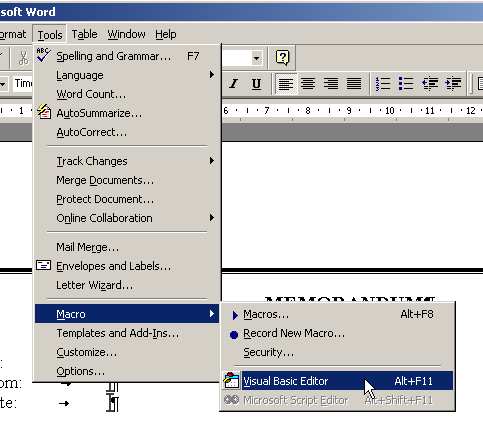
Open the VBA Integrated Developer Enviroment (IDE). Do this by pressing <Alt><F11> or by going into the Tools menu click on Macros and then on Visual Basic Editor.
| << Back | Next >> |
Updates or Comments
If there are any suggestions for updates or comments then please drop us a mail at [email protected].